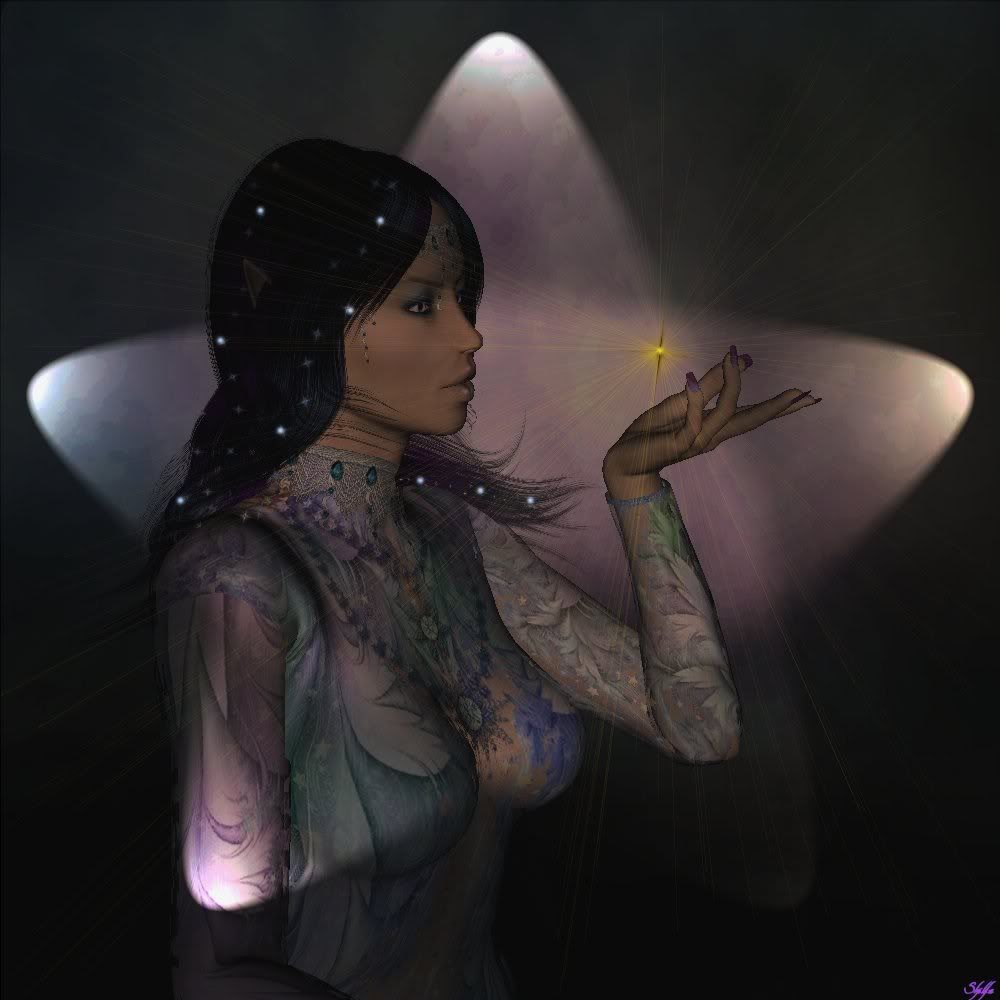
where shooting stars come from
i make jewelry and am working on some peices to put in my brochure.. i got an idea for this one. CC please it's a work in progress!

shiyla
21 years ago
i make jewelry and am working on some peices to put in my brochure.. i got an idea for this one. CC please it's a work in progress!

Vex
21 years ago
The star concept is brilliant. You've got a good working base of an image.
The hair seems extremely pixellated. This can be caused by having your Shading Rate set too high in your render settings. the lower the setting, the better the render. If your hair still looks a little off, try selecting the hair object, going to the properties tab in the parameters window, and uncheck "smooth polygons".
There's a post around here somewhere ( maybe TAC institute ) that explains what render settings are the best for the highest quality renders.
The hair seems extremely pixellated. This can be caused by having your Shading Rate set too high in your render settings. the lower the setting, the better the render. If your hair still looks a little off, try selecting the hair object, going to the properties tab in the parameters window, and uncheck "smooth polygons".
There's a post around here somewhere ( maybe TAC institute ) that explains what render settings are the best for the highest quality renders.
Vex
21 years ago
The star concept is brilliant. You've got a good working base of an image.
The hair seems extremely pixellated. This can be caused by having your Shading Rate set too high in your render settings. the lower the setting, the better the render. If your hair still looks a little off, try selecting the hair object, going to the properties tab in the parameters window, and uncheck "smooth polygons".
There's a post around here somewhere ( maybe TAC institute ) that explains what render settings are the best for the highest quality renders.
The hair seems extremely pixellated. This can be caused by having your Shading Rate set too high in your render settings. the lower the setting, the better the render. If your hair still looks a little off, try selecting the hair object, going to the properties tab in the parameters window, and uncheck "smooth polygons".
There's a post around here somewhere ( maybe TAC institute ) that explains what render settings are the best for the highest quality renders.
shiyla
21 years ago
i couldnt find that option in dazstudio =/
shiyla
21 years ago
i couldnt find that option in dazstudio =/
shiyla
21 years ago
i was searching the forums and found the hair tutorials.. here is what i came up with
was trying to avoid the stars in her hair they were a pain lol
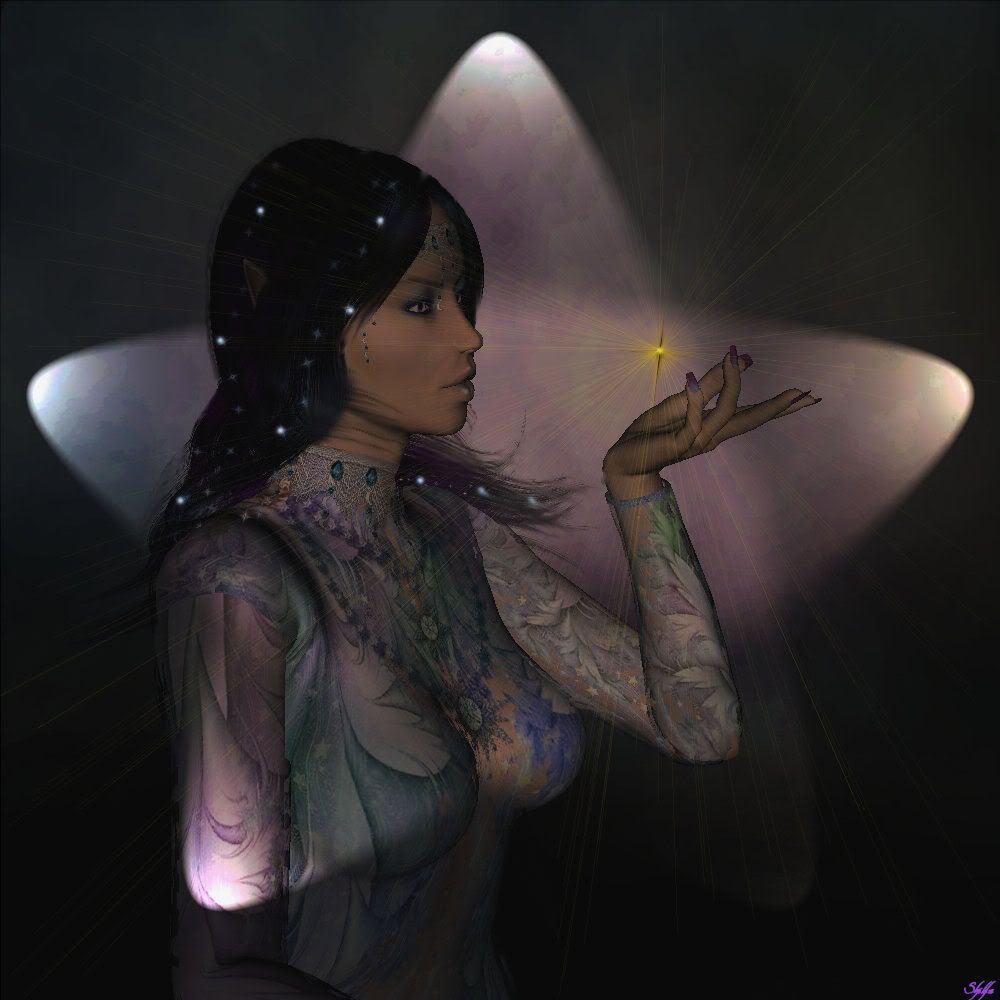
was trying to avoid the stars in her hair they were a pain lol
shiyla
21 years ago
i was searching the forums and found the hair tutorials.. here is what i came up with
was trying to avoid the stars in her hair they were a pain lol
was trying to avoid the stars in her hair they were a pain lol

Sabby
21 years ago
It looks unrendered... I mean I know it has to be, but it looks as tho you screencaptured what you see in daz and saved it.
Click Render at the top of your screen then Render Settings...
Fiddle with those until you have something you like... then click render! After you do that... go to File > Save Last Render As:
And save it.
It should rid that grainy hair thing and the way the cloth looks on her arms.
Hope that helps-
--Sabby
P.S. Above instructions are for Daz, as thats what I am using too 😛
Click Render at the top of your screen then Render Settings...
Fiddle with those until you have something you like... then click render! After you do that... go to File > Save Last Render As:
And save it.
It should rid that grainy hair thing and the way the cloth looks on her arms.
Hope that helps-
--Sabby
P.S. Above instructions are for Daz, as thats what I am using too 😛
Sabby
21 years ago
It looks unrendered... I mean I know it has to be, but it looks as tho you screencaptured what you see in daz and saved it.
Click Render at the top of your screen then Render Settings...
Fiddle with those until you have something you like... then click render! After you do that... go to File > Save Last Render As:
And save it.
It should rid that grainy hair thing and the way the cloth looks on her arms.
Hope that helps-
--Sabby
P.S. Above instructions are for Daz, as thats what I am using too 😛
Click Render at the top of your screen then Render Settings...
Fiddle with those until you have something you like... then click render! After you do that... go to File > Save Last Render As:
And save it.
It should rid that grainy hair thing and the way the cloth looks on her arms.
Hope that helps-
--Sabby
P.S. Above instructions are for Daz, as thats what I am using too 😛

ROzbeans
21 years ago
I'm not familiar with D/S at all, but I dont have anything to add c/c wise that hasn't been covered. I like the concept and the pose, just need to work on the render settings it looks like. 👍
ROzbeans
21 years ago
I'm not familiar with D/S at all, but I dont have anything to add c/c wise that hasn't been covered. I like the concept and the pose, just need to work on the render settings it looks like. 👍

Nards
20 years ago
Great tits. Is that a c/c?
Nards
20 years ago
Great tits. Is that a c/c?
ROzbeans
20 years ago
No, it's not you maroon. /smack (but the boobage is nice) =D
ROzbeans
20 years ago
No, it's not you maroon. /smack (but the boobage is nice) =D
shiyla
20 years ago
<3 nards
shiyla
20 years ago
<3 nards

Adiene
20 years ago
hehe sillies!
shes purdy, I like the star ;D
shes purdy, I like the star ;D
Adiene
20 years ago
hehe sillies!
shes purdy, I like the star ;D
shes purdy, I like the star ;D